Distance tool
Valheim Distance Calculator — Measure Any Route on Your Seed
Measure the straight-line distance between any two points of a Valheim world, or along a route through several. Route through all Forsaken bosses in one click. Free, no signup, any 1.0 seed.
Generates in real time in your browser — a reimplementation of the 1.0 world generator. No server, no pre-rendered image.

What this world is made of
Bosses & traders from spawn
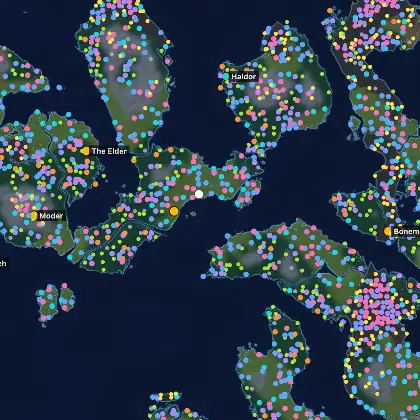
Drag to pan, scroll or double-click to zoom, hover a marker for its name, and click any site for its details. Boss and trader markers open the matching article in a new tab. Keyboard: arrow keys pan, +/− zoom, 0 resets; on touch, pinch to zoom. Markers show where the 1.0 generator places each site for this exact seed.
One finger scrolls the page. Two fingers pan and zoom the map. Double-tap to zoom in, tap a marker for its details.
Distance tool
How to measure a distance in Valheim
- 1 Load your world The tool opens on seed 0. Type your own seed above and press Generate: the map is rebuilt in your browser by the 1.0 world generator, so any seed works — including the one you are already playing.
- 2 Turn on Measure Press the ruler button on the map. The measuring panel opens over the map; on a phone it becomes a card at the bottom of the screen.
- 3 Click two points Click the map to drop a waypoint. The second point ends the measurement and the total appears; press “add point” for a multi-leg route and “Finish” (or double-click) to end it. Points snap to bosses, traders, crypts and every other placed site, so a route through named places is exact instead of “wherever you clicked”. Every leg shows its own distance and the running total sits at the foot of the panel.
- 4 Or route the whole world Press “Route through all bosses” and the tool strings every Forsaken altar of that seed into one path, in progression order, with the total — the number you need before committing to a boss tour.
Straight line, not walking distance
Distances here are as the crow flies. A real walk is always longer — you go around water, up slopes and through whatever the terrain puts in the way. For the question the tool is for (which altar is closer, which site is nearer the shore) the straight line is the honest number, and it is the same one the seed pages quote as “distance from spawn”.
The rest of the toolkit
Measuring answers “how far apart”. The neighbouring questions have their own tools: whether a patch of land is flat enough to build on, which seeds keep the bosses within walking distance, and what a build will cost in materials.
Distance measuring
Can I measure walking distance in Valheim instead?
Nothing can, from a seed value alone: walking distance depends on where you build your bridges and paths and which slopes you choose to cross. This tool measures the straight-line distance, the part that is fixed by the world itself — accurate to the metre.
How far apart are the bosses in my seed?
Press “Route through all bosses”. The tool places every Forsaken altar the 1.0 generator puts in that world and adds up the legs in progression order. A boss that is not placed in that world is simply skipped.
Can I share a route I measured?
Yes. The path is written into the page URL, so the Share button — or just copying the address bar — hands someone the same world with the same route already drawn on it.
Does the measuring tool work on a phone?
Yes. Tap the map to drop waypoints; one finger scrolls the page, two fingers pan and zoom the map. You never need coordinates — every waypoint snaps to the nearest named site.